
Topical Map Creation
I plan every page your website needs before anyone writes a word: what each page covers, where it sits, and how it links to the rest. You get one plan that your writers, your links and your reports all follow.
Full map in about 4 weeks. You keep every file.
- 6+ years of experience
- 30+ clients served
- Completed Koray's Topical Authority course
Signs you need a topical map
- You publish every week, but traffic has not moved in months.
- Writers pick topics from keyword tools and nobody knows what is already covered.
- Two or three of your pages keep swapping places for the same search.
- Weaker competitors outrank you for your main service.
- You write whatever feels urgent because there is no list of what comes next.
- Your blog covers many loosely related topics, and none of them rank well.
- You are launching a site and want the right structure from day one.
What is a topical map?
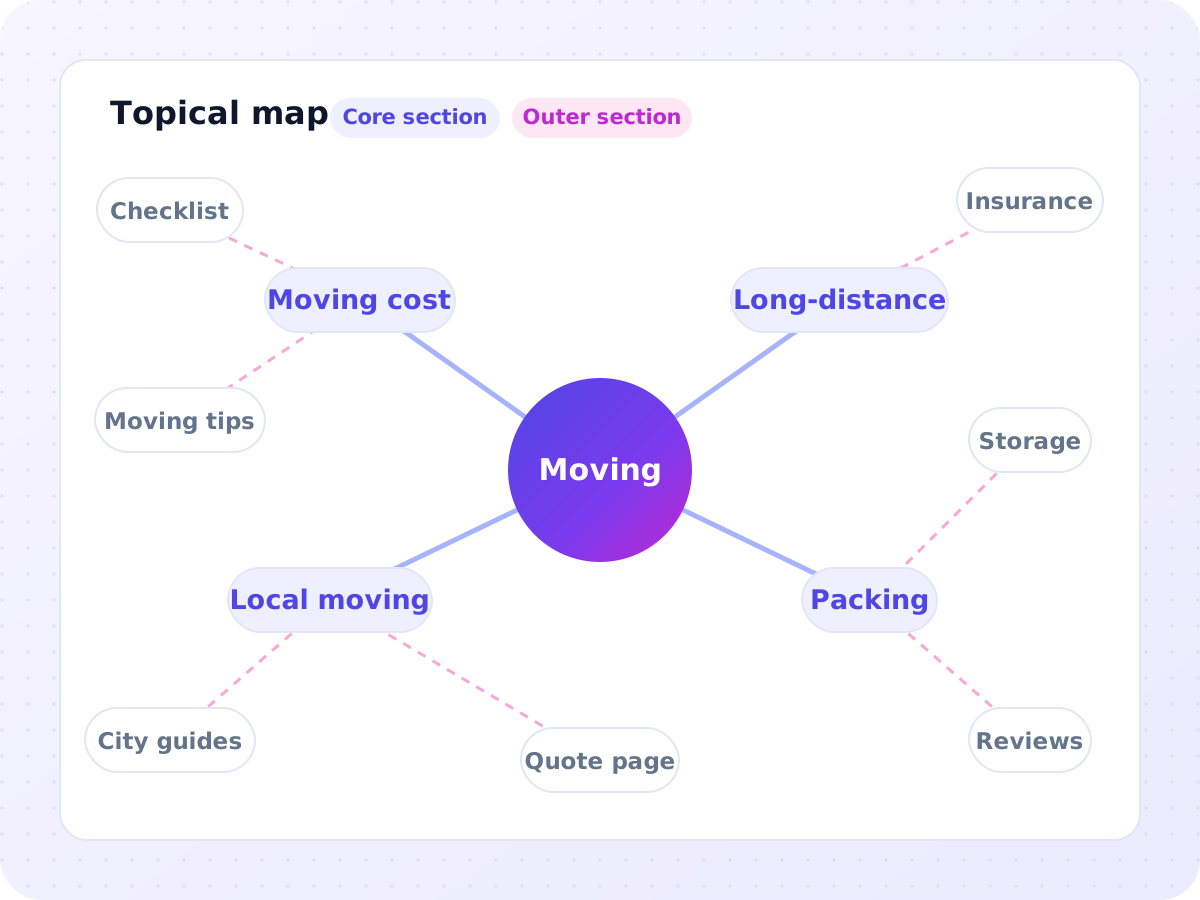
A topical map is a plan of every page a website needs to cover its subject. Each page gets one job, a place in a section, and planned links to other pages. It decides what to write, in what order, and what each page must leave to another page.
What one row of the map looks like
Your map has one row like this for every page. This example is for a fictional moving company.
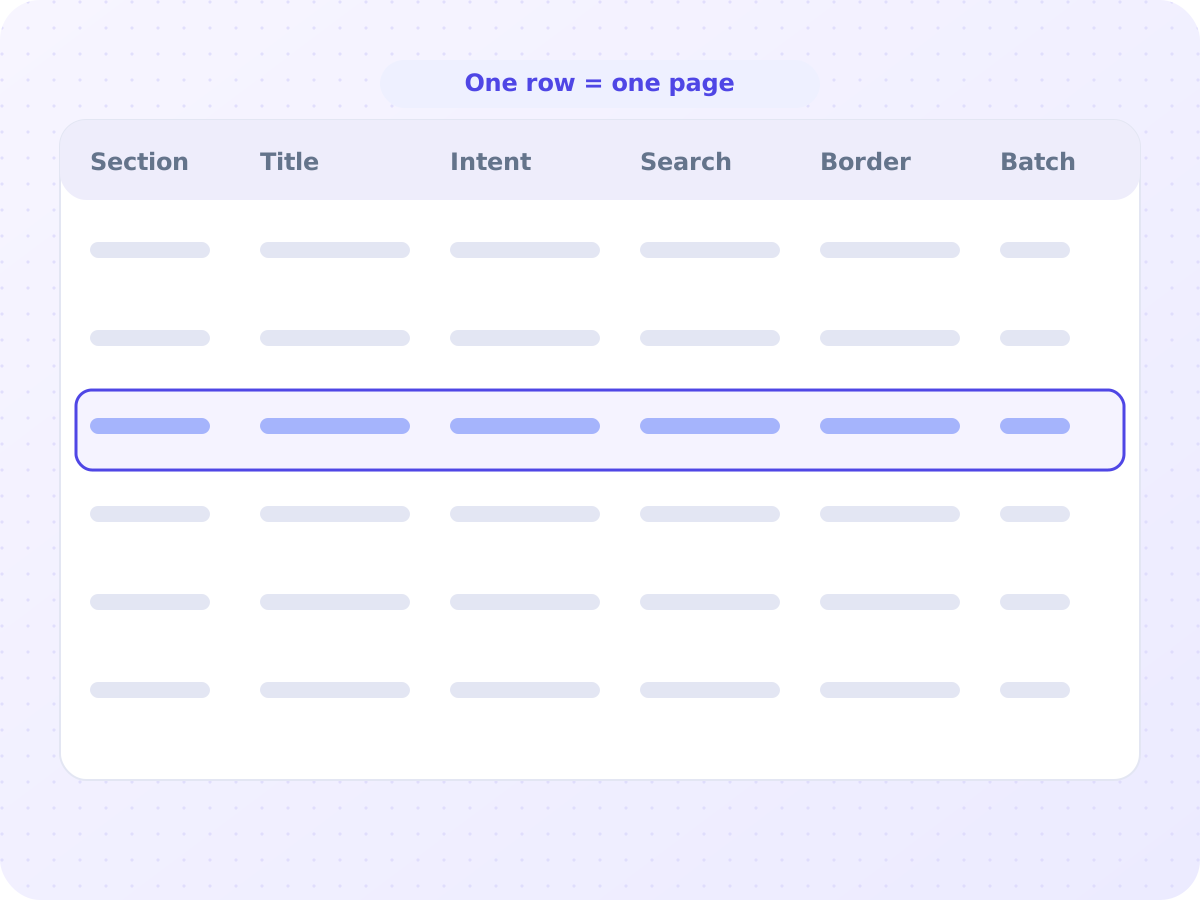
| Field | Example |
|---|---|
| Section and parent | Core section, under Long-distance moving |
| Working title and URL | Long-distance moving cost, /long-distance-moving-cost |
| Page intent | Help a buyer estimate the cost of a move to another state before asking for a quote |
| Main search and variants | long distance moving cost; cost to move across the country; interstate moving cost |
| Facts to cover | How the price is worked out (weight and distance), what changes it (date, packing, access), what a quote includes |
| Contextual border | No packing tips (that is the packing services page). No city guides (those are the city pages) |
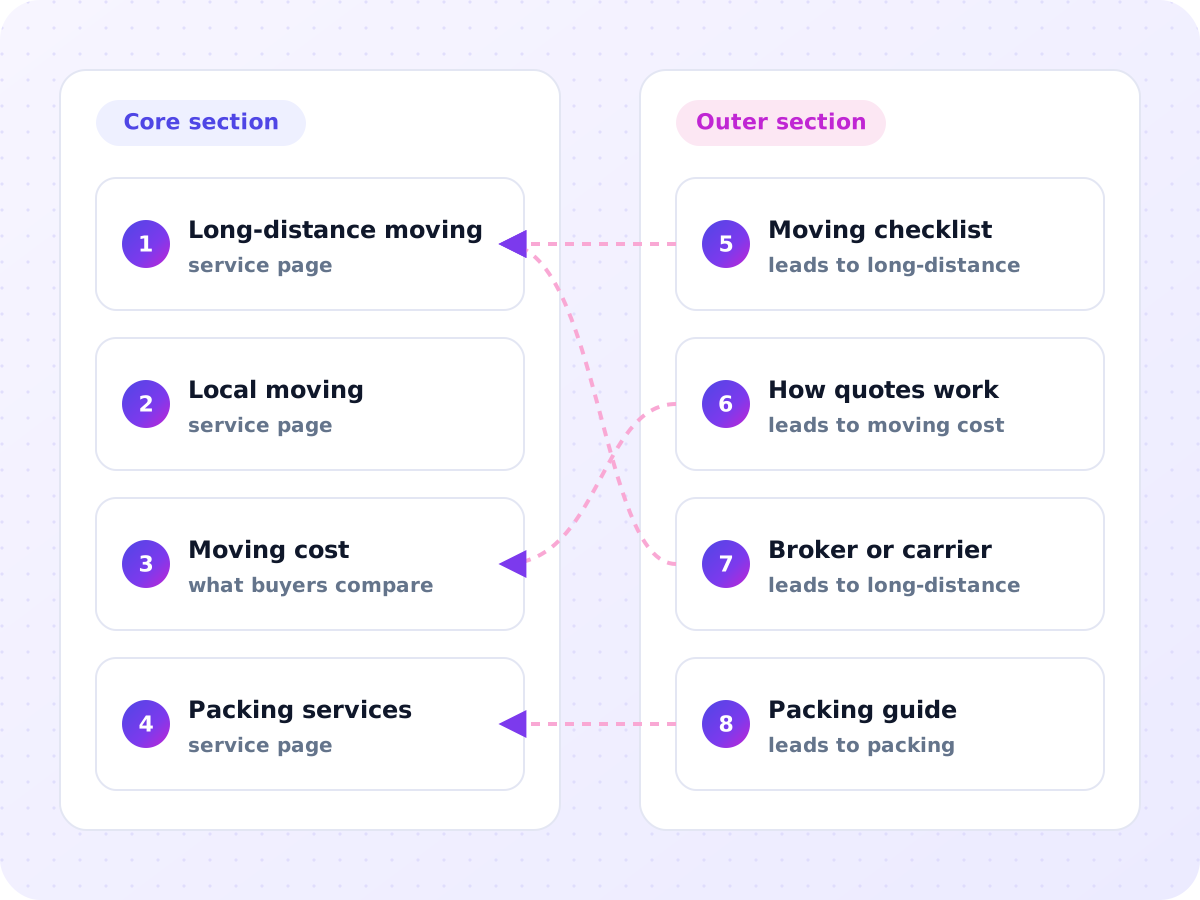
| Links in and out | In from the long-distance moving page. Out to the quote page and the packing services page |
| Page type and schema | Service page, Service markup |
| Status and batch | New page, batch 1 |
The contextual border matters most. It stops two pages from answering the same search.
Topical map vs keyword list
What you receive
What your site must be known for.
Your real searches, grouped by intent and entity.
Every page, its row and its links.
Core and outer sections at a glance.
Each existing page marked keep, expand, merge or redirect.
What to publish first and what can wait.
How your team uses the map without me in the room.
How it works, step by step
Discovery call and access
Days 1 to 2We talk about your services, margins, locations and plans. You share Search Console access and any keyword or content lists.
Source context and central entity
Days 2 to 4I write the brief and you confirm it before research starts.
Query and entity research
Days 4 to 10Searches from Search Console, keyword tools, search results and competitors, grouped by intent and entity.
Sections and rows
Weeks 2 to 3The network is split into core and outer sections, and each page becomes a row.
Order and existing pages
Week 3Publishing batches are set, and your current URLs are matched to the plan.
Handover
Week 4You get the files and a recorded walkthrough, and we go through open questions together.
How I decide what to publish first
Fix first
Fill missing core pages and merge overlapping ones before adding new outer pages.
Build on history
Publish sub-topics where you already get impressions before topics where you have none.
Hardest last
In each section, the most competitive core searches go live after their supporting pages are indexed and linked.
Each batch pairs one core page with the outer pages that answer its main questions, plus links from pages you already have.
How you know the map is working
Before publishing
Every search from the research has exactly one home row. Every row has a search or a stated reason to exist. Every outer row names the core page it supports.
After publishing
I compare the map with Search Console. A page ranking for its neighbor's searches means a border is in the wrong place. Impressions for searches not on the map mean a gap that needs a new row. Later batches should rank faster than earlier ones.
Ways to work together
Topical map only
For teams that already have writers and an editor.
The full map, the visual map, the publishing sequence, a recorded walkthrough and follow-up questions by email.
Map plus first-batch briefs
For teams ready to write now.
Everything above, plus a detailed brief for every first-batch page and a review of the first drafts against those briefs.
Map with ongoing updates
For sites that publish every month.
The full map, plus regular reviews against new Search Console data and new rows as your services, products or locations change.
Is a topical map right for you?
A good fit if you
- are launching a new site or section
- have writers but no plan
- grew without a plan and suspect pages compete
- sell where ads are restricted
- want to own the plan and publish at your own pace
Not a good fit if you
- need leads within a few weeks
- can't publish or edit pages for about six months
- only want a keyword list with volumes
- have pages that aren't indexed at all. That last one is a technical problem to fix first.
Topical map questions
How long does a topical map take?
About 4 weeks from the discovery call to the handover.
Is a topical map a content calendar?
No. A calendar sets dates. A map defines what must exist and how it connects. Build your calendar from the map's batches.
Why include pages with low search volume?
Because volume tools under-report specific searches, and some pages complete your coverage. Every row still needs a real reader.
Should every city get its own page?
Only where you can say something specific about that city. Pages that only swap the city name can be treated as doorway pages, so I plan fewer, stronger location pages.
Can one map cover two brands?
No. Each site needs its own map, or the two compete and split their signals.
Does it cover products and categories?
Yes. Categories usually form the core. Products get their own rows only when people search for them by name.
What if competitors already cover every topic?
Then the map plans how to be different: topics they cover thinly, facts they skip, and angles from your own experience.
Does the map set my URL structure?
Partly. New pages get short URLs. Existing URLs change only when the gain is clear, because every change needs a redirect.
Do you write the pages too?
Yes, if you want. Choose the map plus briefs option, or see Semantic Content Writing.
Every industry needs a different map. See the industries I work in.
Find out what your site is missing.
Book a free 30-minute call. We go through your site together, and I show you the 3 fixes that matter most.